




Specifications at a Glance

Binding
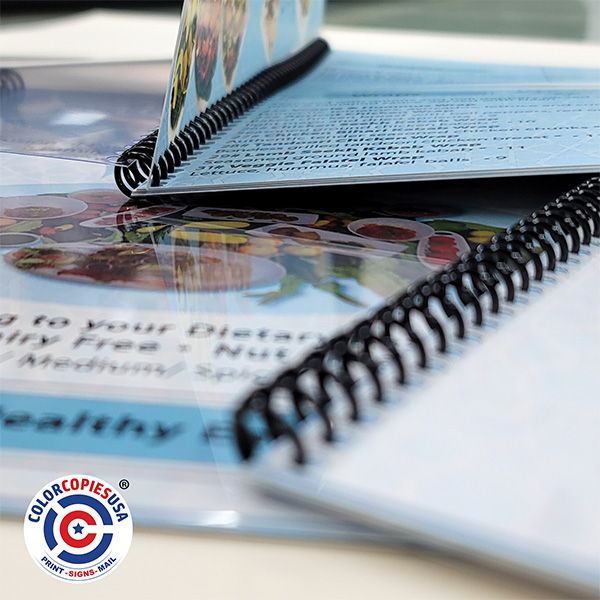
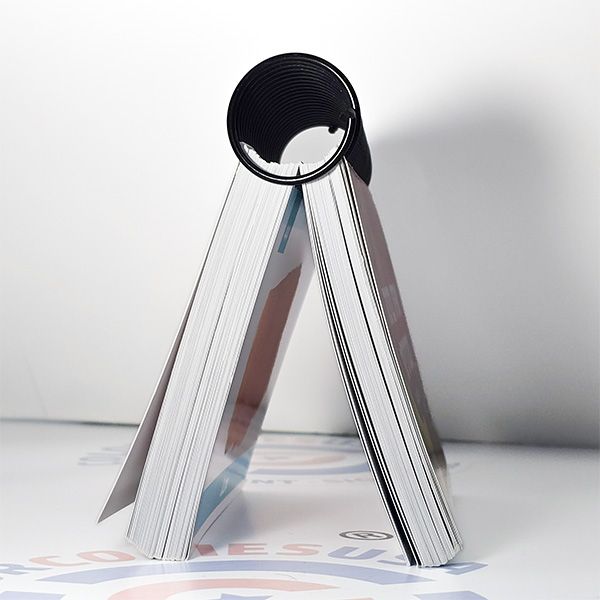
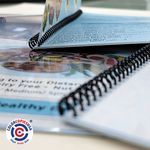
Spiral (coil) binding with punched edge; pages turn 360° and lay flat.
Punching and Design
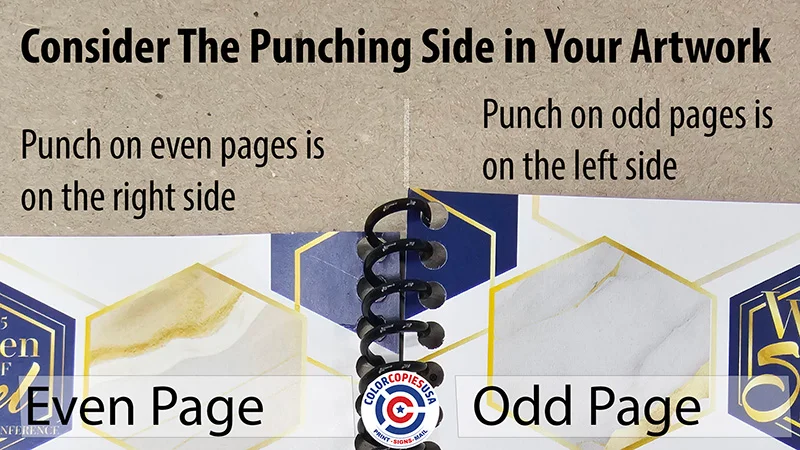
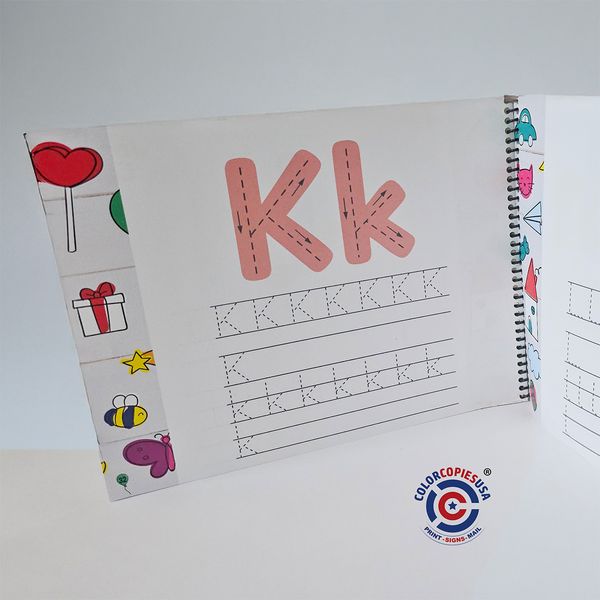
Odd pages get punch on left side / Even pages get punch on right side for left side binding. View image View example in FAQ #5.
Sizes
8.5″×11″ • 5.5″×8.5″ • Portrait or Landscape (custom by request).
Minimum order
1 booklet.
Printing sides
Single-sided or Double-sided.
Inside paper options
20# uncoated (writable; no bleed accepted) • 24# uncoated (bright white) • 28# uncoated (Super 96) • 80# coated (gloss/silk) • 100# coated (gloss/silk).
Popular configs
See common paper + cover combos
Covers
100# Cover (gloss/silk) • 14pt Thick Cover (semi-gloss). UV coating available by custom request.
Plastic covers
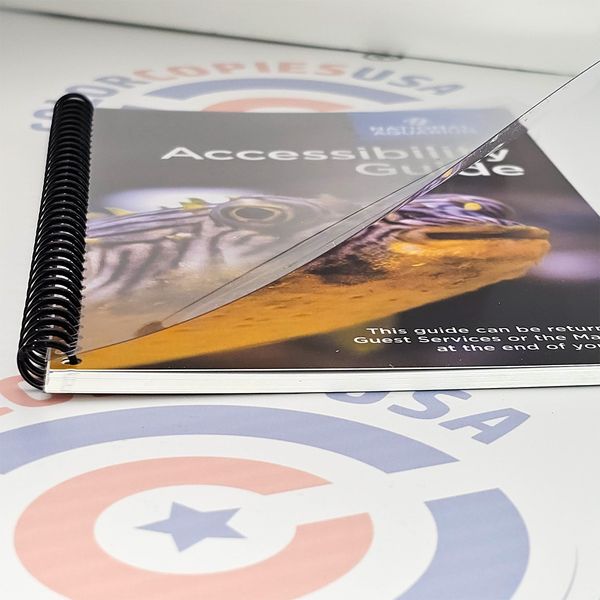
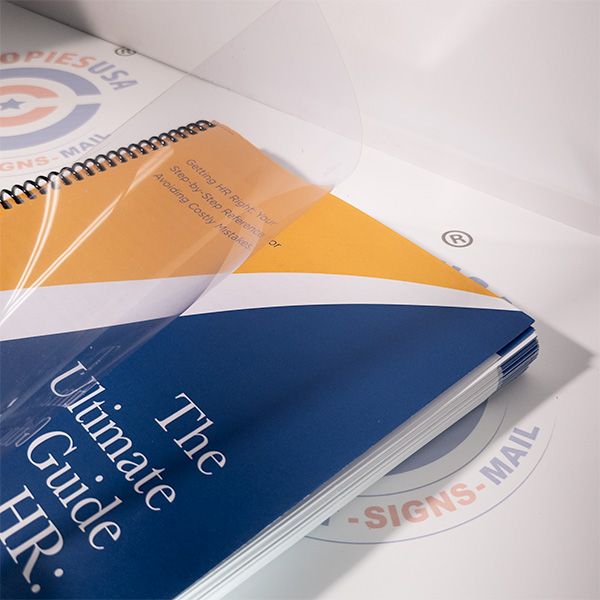
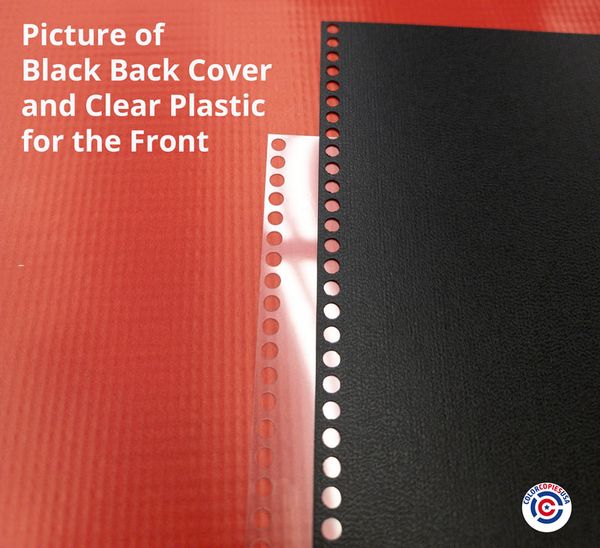
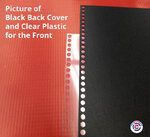
Clear front vinyl and/or black back thick vinyl available.
Coil colors
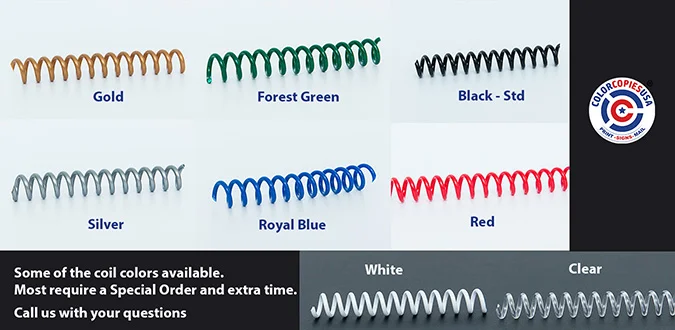
Standard: Black. Special-order colors (blue, gold, green, white, etc.).
Tabs & dividers
Available by custom quote (sizes, positions, stocks vary).
Page counting
Count every side as a page, including printable covers.
Capacity / coil
Max coil Ø 30 mm. Capacity depends on paper; with copy paper, up to ~500 pages per book.
Bleed & safety
Choose “Bleed” (submit bleed-ready files) or “No Bleed” (0.25″ white margins). Keep text ≥ 0.5″ from punched edge.
Color options
Self-cover jobs: all pages Full Color or all pages B&W. If cover stock differs, cover bleed can be set independently.
Proof & turnaround
Turnaround varies by quantity/finishing—use the calculator for an estimate. Order before 11 AM and select “Faster” for expedited production.
File prep
PDF w/ embedded fonts • CMYK • 300 DPI images • 0.125″ bleed when required • single multi-page PDF including covers/blank pages; PDF page count must match selection.

Ready to create your product design?

To start, select the product size and choose an option from "Select Option". These options determine important elements for your template, such as folding marks, creases, etc.

Next Steps:

  • Preview the design guidelines.
  • Download the guidelines for your reference.
  • Use the provided template to create your design.

Important: When saving your final design file, please make sure you do not include the template layer.

Help template cannot be generated as one or both bleed sizes (height and width) are set to 0.
Bleed Line
Safe Line

Quote / Order: Customize & Know Instant Pricing

4.9·1200+ reviews

Single Side
Double Side
Single Side
(Min: 1, Max: 500)
(Min: 1, Max: 500)
Clear Plastic + Black Back PlasticClear Plastic on FrontBlack Back Plastic Only
No Plastic Covers
Clear Plastic + Black Back Plastic
Clear Plastic on Front
Black Back Plastic Only
Total:$16.32
Unit Price :$16.32

Please enter zipcode
Estimated Total:$16.32

Custom Spiral Binding Services: What You Need to Know About Coil Bound Booklet Printing


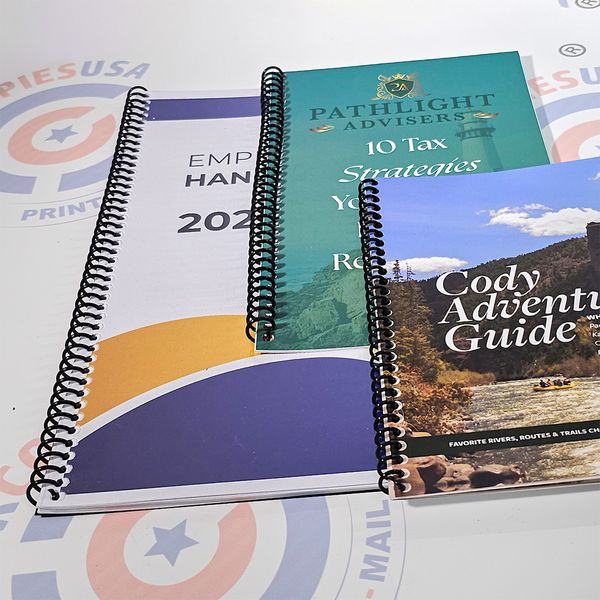
Spiral (coil) bound booklets are professional publications with plastic coil binding that allows pages to rotate 360° and lay completely flat. Ideal for training manuals, workbooks, cookbooks, and planners with page counts from 8 to 500+ pages. Starting at $14.14 for 1 copy with 2-day turnaround.

Key specifications: Available in 8.5"×11" and 5.5"×8.5" sizes • Double-sided or single-sided printing • Paper options from 20# uncoated to 100# coated • Optional clear front and black vinyl back covers • Minimum order: 1 booklet.

File requirements: PDF with embedded fonts • CMYK color mode • 300 DPI images • Export as single pages • 0.125" bleed where artwork extends to edge • Keep text ≥0.5" from binding edge (20# uncoated does not support full-bleed).

When to consider alternatives:Wire-O binding works better for 20-200 page documents with square spines and cross-page layouts (calendars, presentations). Perfect binding is more cost-effective for books over 2" thick (300+ pages) where lay-flat isn't critical (catalogs, reports). Spiral binding excels for 360° page rotation and heavy-use durability.

Quick Answers

Skim these rules of thumb. Open details as needed.

1) Choose Your Configuration in 3 Steps

Step 1 - Page Count:
  • Under 20 pages → Use  28# or heavier (no 20#)
  • 21-120 pages → Use at least 24# text
  • 121+ pages → Use 7You can start from 20# if no bleed
Step 2 - Content Type:
  • Mostly text + writing notes needed → Uncoated paper
  • Photo-heavy content → Coated gloss/silk paper
Step 3 - Covers & Durability:
  • Heavy use (training, menus) → Add clear front + black vinyl back cover
  • Moderate use → 100# paper cover is sufficient

Suggested Combos of Paper + Finishing:

2) Do pages have to be in multiples of 2 or 4?

  • Double-sided (duplex): use an even page count (multiple of 2).
  • Single-sided: any count works; if duplex ends odd, we add a blank end page.

3) Paper weight vs. page count

≤40p → 100T41–120p → 80T121–220p → 70T>220p / coil >~1.5″ → 60–70T
  • 8–40 pages: 100 lb text interior; pair with 100 lb cover (or clear poly + vinyl).
  • 40–150 pages: 80 lb text (drop to 70 lb as counts rise). Keep 100 lb cover.
  • 150–300 pages: 60–70 lb text to control thickness; reassess near ~1.5–1.75″.
  • 300–400 pages: large coils possible, but perfect bound may handle easier.
Design & usability:
  • Gutter: keep live content at least 3/8" from border.
    Preferred: 0.5″
  • Avoid cross-overs through holes; if used, keep live elements outside the gutter.
  • Durability: workbooks/menus: clear poly front + vinyl back, or heavier cover.

Critical: ignoring safe zones is the #1 cause of reprints.
Visual Guide

Each sheet = 2 pages (front & back). Count covers if paper; do not count clear/black vinyl.

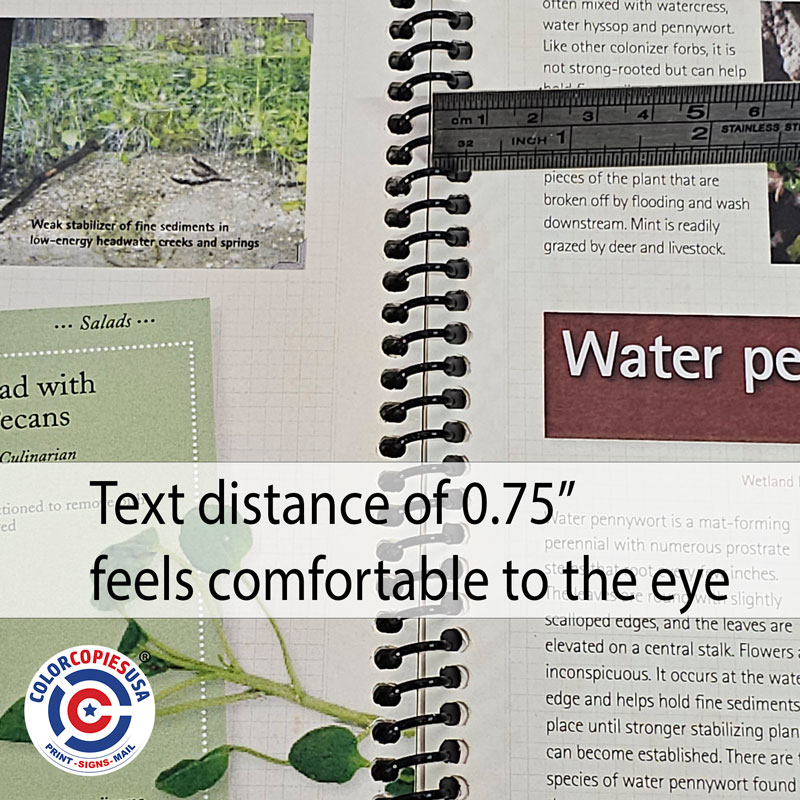
Correct spiral binding safe zone example: text positioned 0.75 inches from punched edge providing comfortable reading space
Keep text/images ≥ 0.5″ from the binding edge; holes ≈ 0.75" in this example (≈19 mm).
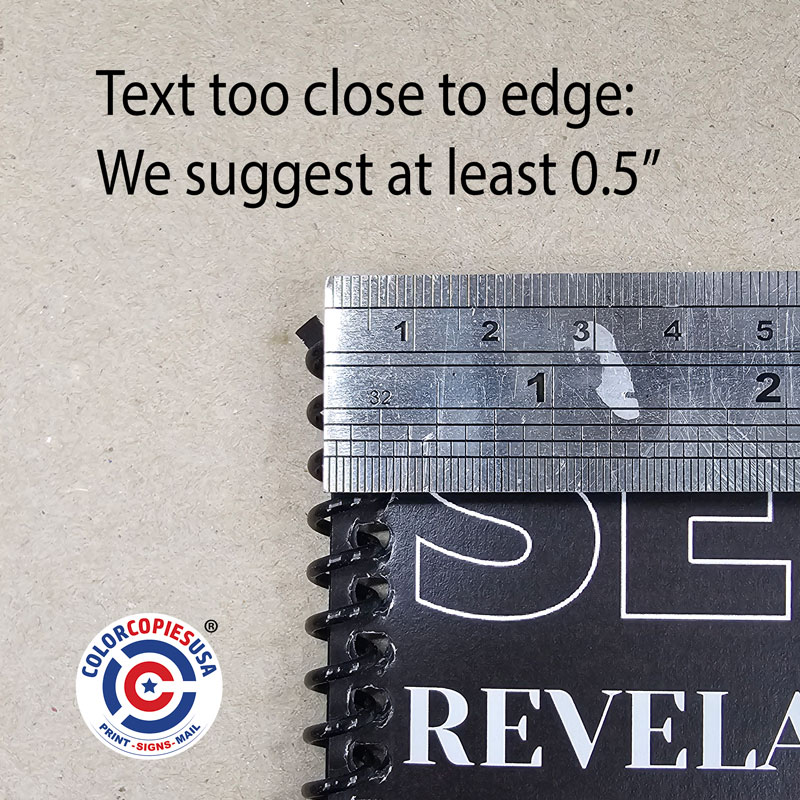
Incorrect spiral binding layout: text too close to punched edge at 3/8 inch, causing uncomfortable reading and potential cutting
Content too close may be cut off, feel uncomfortable or be distorted at 3/8" or less (≈9 mm). Avoid crossing live text/images through the binding area.

Typical Page Capacity by Paper Weight

At a glance: ~1/2″ coil often fits ~160–220 pages on 50–60# text.

Approx. Coil Ø50–60# Text70–80# Text+ Covers / Tabs
~1/4″ (6–7 mm)Up to ~60–80 pUp to ~50–60 pReduce by ~10–20 p
~3/8″ (9–10 mm)~100–150 p~90–120 pReduce by ~15–25 p
~1/2″ (12–13 mm)~160–220 p~140–200 pReduce by ~20–30 p
≥5/8″ (16 mm+)High counts (project-dependent)High counts (project-dependent)Consult for best Ø

Estimates vary by stock thickness, cover choice, and tab count. We confirm coil size during pre-press.

Best Practices for File Preparation

File Format Requirements

  • PDF with embedded fonts
  • Images at 300 DPI
  • CMYK color mode
  • Bleed: 0.125″ beyond trim on all sides

Design at the Coil Edge

  • Lay out single pages (not spreads)
  • Keep live content ≥0.5″ from coil edge (thick: 0.625–0.875″)
  • Avoid thin rules / cross-overs through the holes
  • Mirror margins on duplex; body text 12pt+

Most common reprint cause: text too close to punch holes.

Popular Applications

Training Materials

Lay-flat workbooks for workshops & onboarding.

28 lb text uncoated100 lb CoverClear / Black VinylEasy to write

Technical Manuals

Durable references that get flipped often.

32 lb uncoated100 lb Cover Clear / Black VinylEasy to write

Year Books, Photo Books, etc.

Preserve the memories & 360° rotation.

100 lb Text Coated14 pt CoverClear / Black VinylBeautiful Image Quality

Why Choose Coil Binding?

360° Rotation

Pages rotate completely around and lay perfectly flat.

Superior Durability

Plastic coils resist crushing and page tear-out better than many alternatives.

Wide Page-Count Range

From slim workbooks to thick manuals—just size the coil correctly.


Ready to Create Your Professional Coil Bound Booklets?

Use our interactive calculator above to get instant pricing, or contact our experts for custom requirements.

Free design review
Fast turnaround times
Professional quality guaranteed
Volume discounts available

Frequently Asked Questions

Expert answers to help you succeed with coil bound booklets

Spiral binding is the perfect choice for documents that need to lay completely flat or fold back on themselves. It's ideal for:

  • Training Manuals & Workbooks - Perfect for hands-on learning environments
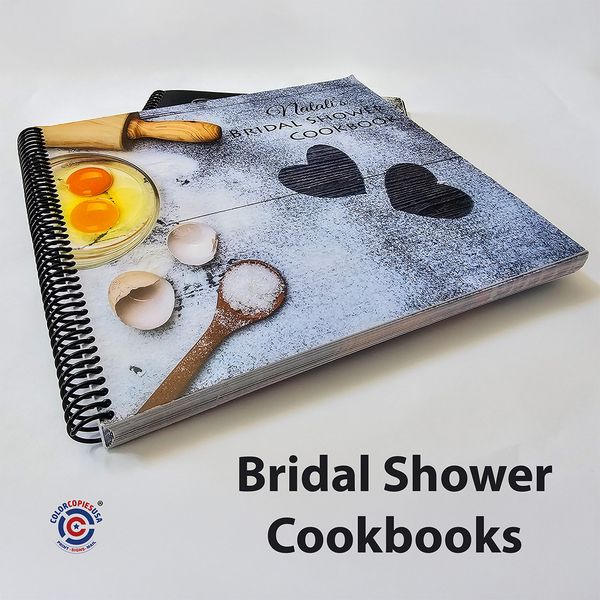
  • Cookbooks & Recipe Books - Stays open on countertops
  • Reports & Planners - Easy reference and note-taking
  • Notebooks & Journals - 360° rotation for comfortable writing

For more formal corporate presentations where a flat lay is less critical, you might also consider Wire-O Binding.

Capacity varies with paper thickness, cover stock, and any tabs/dividers. For a precise estimate, see our Page Capacity Chart. We size the coil during pre-press to fit your file and will flag anything that’s near the limit.

💡Pro Tip:
  • Heavier papers and laminated covers reduce maximum capacity.
  • Tabs/inserts also count toward the total.

Choosing the right paper depends on the "feel" and durability you want. Here's a simple guide:

  • 24# Uncoated Text: Our most popular choice. It feels like high-quality office paper, perfect for manuals and workbooks.
  • 28# Uncoated Text: Is the perfect choice for higher quality publications. It has a nice weight and feel, making it suitable for manuals and workbooks that need to be durable yet flexible. It feels high-quality, perfect for sales presentations, manuals and workbooks.
  • 80# Glossy Text: A thin, shiny paper that makes colors and photos pop. Great for image-heavy lookbooks or catalogs.
  • 100# Glossy Text: A nice, shiny paper that feels great for colors and photos pop. Great for image-heavy lookbooks or catalogs.
  • 100# Glossy Cover: A sturdy, cardstock-like paper. We use this for front and back covers to provide durability and a premium feel.

In the calculator above, "Inside Pages" refers to the paper for your content, while "Cover" options apply to your first and last pages.

Yes, this is critical for double-sided printing. Your text safe zone must switch sides to avoid the binding holes:

Always keep text at least 3/4" to over 0.5" from the edge of the paper where the perforation is done. You want to have visual comfort around your text.

Spiral binding punch diagram showing perforation placement: odd pages punched on left side, even pages punched on right side

  • Odd Pages (1, 3, 5...): Margin on the LEFT side
  • Even Pages (2, 4, 6...): Margin on the RIGHT side
⚠️Critical: This ensures your content remains readable and professional on both sides of every page.

To ensure a smooth and fast process, please follow these file requirements:

Poor Artwork Quality is the #1 cause of delays and unexpected results.

✓ Accepted Formats:
  • PDF files with embedded fonts, cut marks and bleeds represent the best overall option, and prevents unexpected outcomes. (preferred)
  • InDesign files must be provided along the packaged folder (including images,fonts to prevent unexpected outcvomes
✓ Best Practices:
  • Supply a single, multi-page PDF, with an even number of pages (which might include blank ones when needed)
  • High-resolution images produce better print quality. It is your responsibility to provide images that match your expectations. If low resolution images are provided, we can't make them better.

Yes, we offer tiered pricing with automatic discounts at higher quantities. The more you order, the lower your per-unit cost becomes:

  • 100+ copies: Significant per-unit savings
  • 250+ copies: Enhanced volume discounts
  • 500+ copies: Maximum volume pricing
  • 1,000+ copies: Contact us for custom enterprise quotes

Volume discounts are automatically applied in our calculator above, so you'll see your savings immediately.

Yes! We offer a range of colors to match your branding:

Picture showing available colors of coil.  Order is on demand and can delay your order

  • Standard (Fastest Turnaround): Black
  • Custom Order: White, Clear, Navy Blue, Red, and Green

Please note: Selecting a custom color may add to the production time and overall cost. Contact us for a quote.

✓ Main Advantages:
  • 360° page rotation - pages fold completely back
  • Ease of use - lays flat for writing and reference
  • Superior durability - withstands heavy daily use
  • Cost-effective - no additional binders or accessories needed
⚠ Considerations:
  • Page replacement requires professional service
  • Appearance - some consider it less formal than perfect binding
  • Storage - coils can catch on other materials

For most practical applications, the advantages far outweigh any limitations, making spiral binding ideal for functional, frequently-used documents.